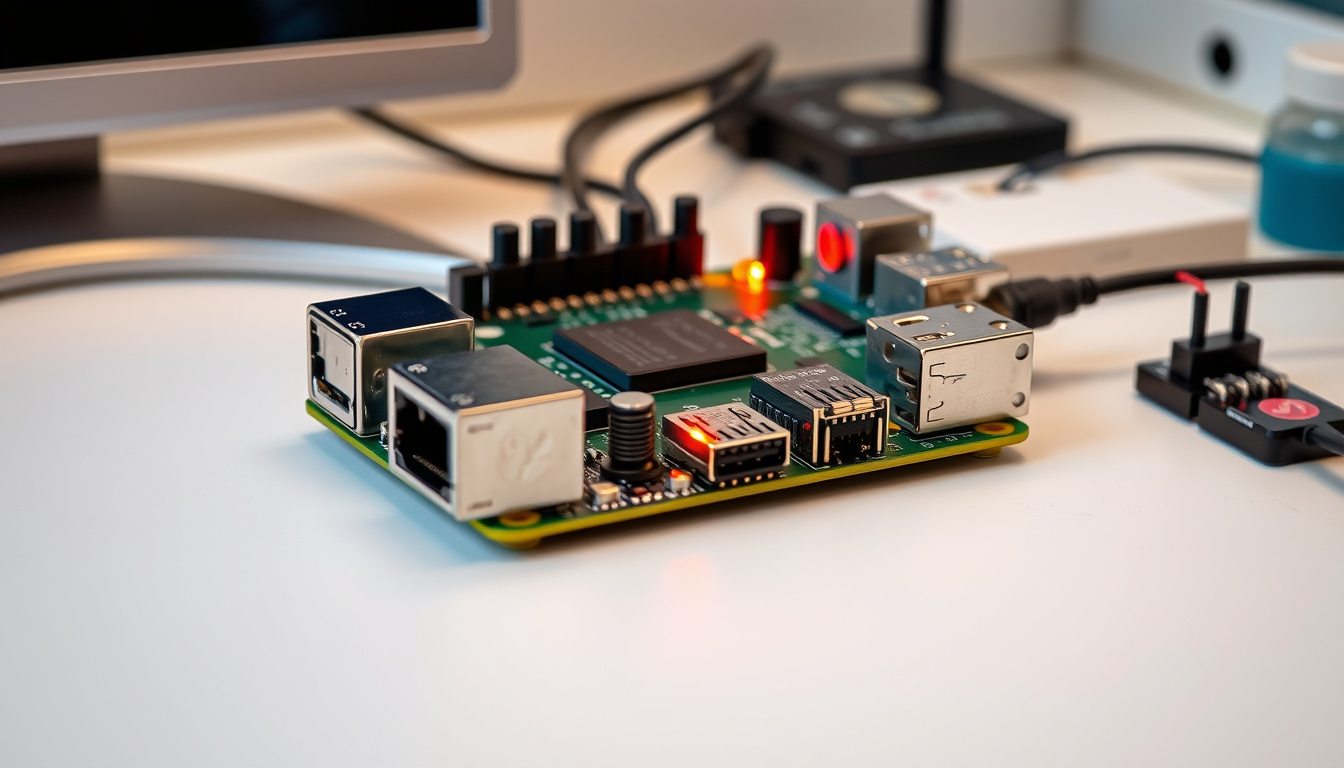
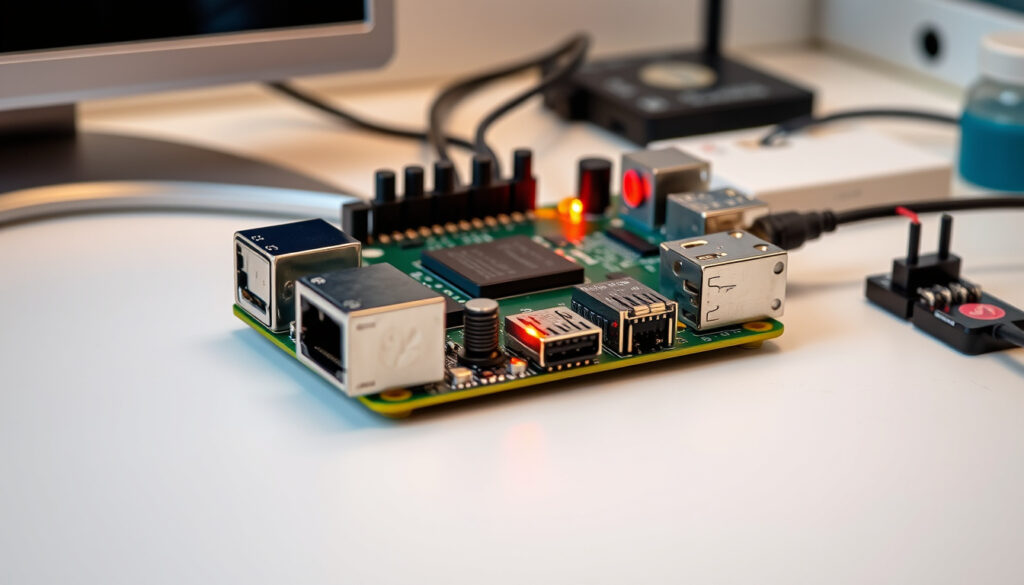
Even after the Pi 5 dropped with headline-grabbing speed gains, the Raspberry Pi 4 keeps showing up in project guides, automation forums, and budget build recommendations. The question is whether that popularity still translates to value in 2024.
RAM Variants: 1GB, 2GB, 4GB, 8GB · USB Ports: 2x USB 3.0, 2x USB 2.0 · Display Support: Dual HDMI · Primary Uses: Desktop, media center, robot brains · Official Site: raspberrypi.com
Quick snapshot
- USB specs upgraded to 3.0 on two ports (Elektor Magazine)
- Dual 4K HDMI display support (Pocket-lint comparison)
- RAM options span 1GB to 8GB LPDDR4 (MonRaspberry spec comparison)
- Native Netflix streaming support remains elusive
- Windows 11 performance benchmarks are sparse
- Long-term software support timeline unclear
- Pi 4 entered market as fourth-generation board (Tom’s Hardware review)
- Pi 5 launched late 2023 with BCM2712 chip (Tom’s Hardware review)
- Pi 5 2GB model introduced 2024 at ~$50 (IoTStudioz analysis)
- Pi 4 remains viable for budget and low-power builds (Tom’s Hardware testing)
- Pi 5 pushes performance ceiling higher (Pocket-lint benchmarks)
- Community support for Pi 4 stays active (Raspberry Pi Forums discussion)
| Attribute | Value |
|---|---|
| Release | Fourth generation |
| Developer | Raspberry Pi Holdings |
| USB | 2x USB 3, 2x USB 2 |
| Display | Dual HDMI |
| Official Specs | Raspberry Pi Official |
What is a Raspberry Pi 4 used for?
The Raspberry Pi 4 started as an education-focused single-board computer, but hobbyists and makers quickly turned it into something far more versatile. Its quad-core ARM Cortex-A72 processor running at 1.5 GHz paired with your choice of 1GB, 2GB, 4GB, or 8GB of LPDDR4 RAM delivers enough grunt for desktop-style tasks without the desktop price tag.
According to Pocket-lint’s benchmarking analysis, the Pi 4 handles low-intensity workloads like Pi-hole ad-blocking servers, IP security cameras, and retro gaming emulation without breaking a sweat. That’s partly because the board runs fanless under most conditions—unlike its successor.
Common projects
Makers gravitate toward the Pi 4 for home automation hubs, media center builds, and networked AI cores. The dual HDMI output means you can drive two displays, which comes in handy for dashboards and digital signage. The official Raspberry Pi specifications page confirms the board’s VideoCore VI GPU supports H.265 decode for hardware-accelerated video.
Home automation
Home automation ranks among the most popular use cases. The Pi 4’s GPIO header lets you wire up sensors, relays, and smart home controllers. Combined with software platforms like Home Assistant, it becomes a local brain for lights, climate, and security—without sending your data to the cloud.
Media center
As a media center, the Pi 4 plays a narrower role than some expect. Netflix and Disney Plus require Widevine DRM protection that doesn’t run natively on the Pi’s architecture. Users resort to Chromium with Widevine plugin or alternative setups, which works but adds friction. The hardware decoding handles local video files and some streaming services without issue.
Is Raspberry Pi 4 still worth buying?
The answer depends on what you’re building. If your project fits the Pi 4’s sweet spot—budget constraints, low-power operation, or legacy software compatibility—then yes, the board still delivers solid value. The Tom’s Hardware review notes that the Pi 4 “still solid without active cooling, mature support,” which matters when you’re troubleshooting at 2 AM.
Reasons to choose Pi 4
Several scenarios favor the Pi 4 over the newer model. The board draws less power under load—Elektor Magazine recorded the Pi 4 at 71°C under stress testing versus the Pi 5’s 78°C, meaning passive cooling usually suffices. Community tutorials and project guides have matured over four-plus years, making troubleshooting easier. And at lower price points, the Pi 4 undercuts the Pi 5 for simple server or automation roles.
Availability and price
Pricing varies by region and retailer. Forum discussions from late 2023 place the Pi 4 8GB at roughly 82.90€ shipped, while the Pi 5 8GB sits around £91 (Raspberry Pi Forums user reports). The Pi 5 2GB model introduced in 2024 carries an approximately $50 price tag, narrowing the gap for budget buyers.
Availability has stabilized since the supply crunch of 2022–2023, though stockouts still occur around product launches or holiday seasons.
The Pi 4’s older ARM Cortex-A72 architecture means it won’t run software optimized for the Pi 5’s Cortex-A76 cores. If you’re starting fresh and expect to need headroom for future projects, factor in that the Pi 5 delivers 2-3× the CPU performance at a modest price premium.
Raspberry Pi 4 vs Raspberry Pi 5
Comparing the two boards reveals a generational leap rather than incremental improvement. The Pi 5 runs a Broadcom BCM2712 quad-core ARM Cortex-A76 processor at 2.4 GHz, paired with a VideoCore VII GPU operating at 1 GHz. Elektor Magazine’s testing shows RAM bandwidth hitting roughly 30,000 MB/s on the Pi 5 versus 4,000–6,000 MB/s on the Pi 4—a substantial difference for memory-intensive workloads.
Performance differences
Multiple reviewers report the Pi 5 delivering 2-3× faster CPU performance in Geekbench and Browserbench tests. The GPU architecture jumped from VideoCore VI to VideoCore VII, supporting OpenGL ES 3.1 and Vulkan 1.2. The Pi 5 also introduces PCIe Gen2 x1 for NVMe or M.2 SSD storage—a capability the Pi 4 lacks entirely.
For desktop use at 1080p, the Pi 5 feels markedly zippier. Lon.TV’s February 2024 review described it as “a zippier desktop at 1080p, 4K H.264/H.265 decode, but YouTube 4K poor”—a nuanced finding that applies equally to the Pi 4 for most streaming scenarios.
Speed comparison
The RP1 southbridge in the Pi 5 doubles USB bandwidth and accelerates SD card access. Elektor Magazine recorded SD card speeds twice as fast as the Pi 4, which matters if you’re booting from external storage. The Pi 5 adds niceties the Pi 4 lacks: a dedicated power button, real-time clock with coin cell holder, and a fan connector for active cooling.
That last point deserves attention. The Pi 5 requires active cooling under sustained loads—the board hits 78°C without a fan versus the Pi 4’s 71°C. Forum discussions confirm Pi 5 draws more power and runs hotter, meaning your case and thermal setup matter more than with the Pi 4.
| Specification | Pi 4 | Pi 5 |
|---|---|---|
| CPU | ARM Cortex-A72 @ 1.5 GHz | ARM Cortex-A76 @ 2.4 GHz |
| GPU | VideoCore VI | VideoCore VII @ 1 GHz |
| RAM | 1/2/4/8 GB LPDDR4 | 2/4/8 GB LPDDR4X-4267 |
| PCIe | None | Gen2 x1 |
| USB 3.0 | 2 ports | 2 ports |
| Display output | 1× 4K@60Hz + 1× 4K@30Hz | 2× 4K@60Hz |
| Cooling | Passive (fanless) | Active recommended |
Can I watch Netflix on Raspberry Pi 4?
Netflix on a Raspberry Pi 4 requires workarounds. The streaming service relies on Widevine DRM, and the Pi’s ARM architecture doesn’t natively support the required library in standard browsers. The practical solutions involve installing Widevine support in Chromium or using a media center OS like LibreELEC with DRM-enabled players.
Widevine support
Users report success with the widevinecdm-Shim extension or manually copying Widevine binaries from Chrome OS via the armhf architecture. This isn’t a trivial setup—expect to spend 30–60 minutes configuring the environment before Netflix works reliably.
Streaming setup
Disney Plus and Hulu present similar challenges. The Pi 4 handles H.265 hardware decoding for locally stored files, but streaming services that require DRM fall into the workaround category. For casual streaming, some users report acceptable performance at 720p or 1080p, though 4K remains impractical.
Netflix and Disney Plus support on Pi 4 remains unofficial and fragile. Updates to Widevine or the browser can break playback without warning. If streaming is your primary use case, consider a mini PC or TV stick instead—the Pi 4 excels elsewhere.
What are the disadvantages of Raspberry Pi 4?
No single-board computer is perfect, and the Pi 4 carries trade-offs that surface depending on your workload. The older architecture shows its age when running CPU-intensive tasks, and the lack of PCIe limits storage expansion options.
Performance limits
The ARM Cortex-A72 at 1.5 GHz maxes out around 1.5 GHz with no boost clock—a limitation the Pi 5’s Cortex-A76 doesn’t share. Multi-tab web browsing, code compilation, and modern emulation (beyond N64/PS1) push the Pi 4 harder than intended. RAM bandwidth of 4,000–6,000 MB/s versus the Pi 5’s 30,000 MB/s creates a bottleneck for data-heavy applications.
Pros and cons overview
Upsides
- Fanless operation under normal loads
- Lower power consumption than Pi 5
- Mature ecosystem with years of tutorials
- Lower entry price for budget projects
- Widely available compared to launch-period Pi 5
Downsides
- No PCIe for NVMe SSD expansion
- Limited to 4,000–6,000 MB/s RAM bandwidth
- No hardware Vulkan support (VideoCore VI)
- Older Cortex-A72 limits future software compatibility
- Single 4K@60Hz display output
The implication: makers weighing the Pi 4 against the Pi 5 must trade established stability for a meaningful performance ceiling the older model cannot breach.
What people say
If you want the best single-board computer around, the Raspberry Pi 5 is your new leader.
— Tom’s Hardware, official review
The Pi 5 is, in fact, almost 3x faster than the Pi 4.
— Pocket-lint, performance comparison
Pi4 8GB run full-blown modern demanding high resolution websites such as youtube videos at 1080p60.
— Raspberry Pi Forums user, community discussion
Related reading: Raspberry Pi 4 vs Pi 5 comparison
core-electronics.com.au, blog.lon.tv, xda-developers.com, vilros.com, news.ycombinator.com
The Raspberry Pi 4’s specs hold strong value even against the Pi 5, as its detailed specs and comparisons highlights key pricing edges and performance breakdowns for 2024 buyers.
Frequently asked questions
Can Raspberry Pi 4 run Windows 11?
Windows 11 ARM can technically run on Pi 4 hardware, but performance is sluggish and Microsoft doesn’t officially support the board. Users report acceptable desktop performance for light tasks, but don’t expect a usable Windows experience. The Pi 5 handles Windows ARM better due to its faster CPU.
What do people usually do with a Raspberry Pi?
Common projects include home automation servers (Home Assistant), retro gaming emulators, ad-blocking DNS servers (Pi-hole), media centers, weather stations, network attached storage, and learning programming. The GPIO header enables physical computing projects like robot controllers and sensor networks.
Is a Raspberry Pi illegal?
No, the Raspberry Pi itself is completely legal. However, using it to circumvent DRM protections, clone proprietary software, or access restricted services without authorization crosses into illegal territory. As a general-purpose computer, it’s as legal as any other single-board computer.
What is Raspberry Pi 4 Model B?
It’s the fourth-generation Model B variant of the Raspberry Pi single-board computer, released in 2019. The “Model B” designation indicates the higher-spec variant with full connectivity (USB 3.0, Gigabit Ethernet, dual HDMI). It replaced the Raspberry Pi 3B+ and remains in production alongside the Pi 5.
Raspberry Pi 4 price?
Prices vary by retailer and region: 1GB ~$25, 2GB ~$35, 4GB ~$55, 8GB ~$75 (USD recommended retail). Forum reports from late 2023 showed EU pricing around 82.90€ for the 8GB model shipped. Check Raspberry Pi’s official store for current pricing.
How much faster is Pi 5 than Pi 4?
Independent benchmarks consistently show the Pi 5 delivering 2–3× faster CPU performance in Geekbench, Browserbench, and real-world application tests. RAM bandwidth increases roughly 5× (30,000 vs 4,000–6,000 MB/s), and SD card speeds double. GPU performance jumps significantly due to the VideoCore VII architecture running at 1 GHz.
What are Raspberry Pi 4 specs?
Key specs: quad-core ARM Cortex-A72 at 1.5 GHz, 1/2/4/8 GB LPDDR4 RAM, VideoCore VI GPU, 2× USB 3.0 + 2× USB 2.0, Gigabit Ethernet, dual micro-HDMI (4K@60Hz primary), Bluetooth 5.0, Wi-Fi 802.11ac, 40-pin GPIO, and USB-C power input. Full specifications available at the official specifications page.
For makers on a tight budget or building projects that don’t need the Pi 5’s extra horsepower, the Raspberry Pi 4 remains a sensible purchase. Its fanless operation, mature software support, and lower power draw make it especially well-suited for headless servers and always-on automation tasks. The trade-off is missing out on PCIe storage expansion and the 2–3× CPU headroom that the newer board delivers.

Andrew Ellis leads fact-checking, source verification and corrections at Australia Focus.